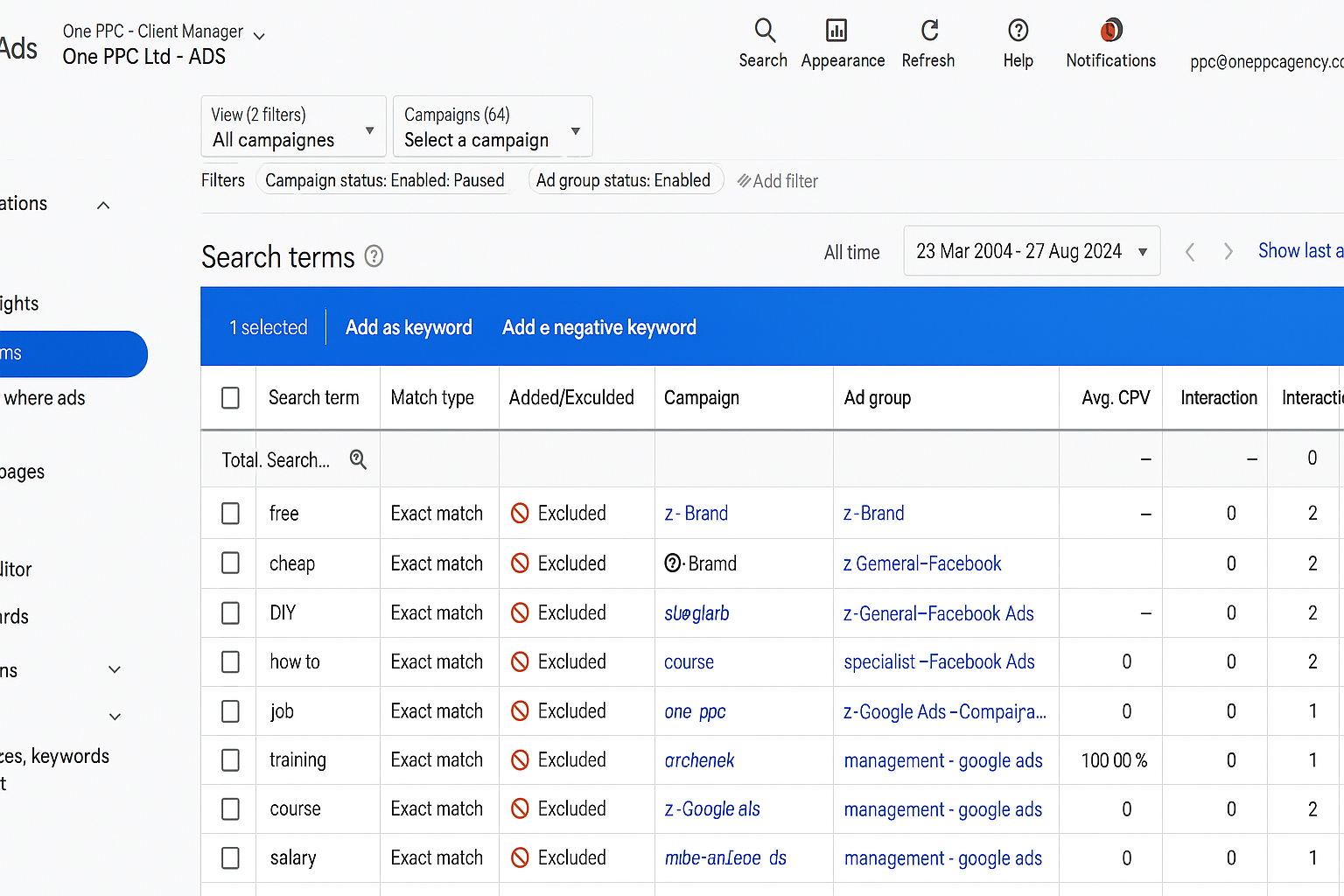
If your Google Ads are racking up clicks but the phone's not ringing, there's a good chance your ads are showing to the wrong people. One of the most effective ways to clean this up is by using negative keywords — they prevent your ads from showing on irrelevant or unqualified searches.
- Most mechanics waste money on clicks from DIY searches, job seekers, and bargain hunters.
- Negative keywords block irrelevant traffic before it costs you money.
- Regularly review your search terms report to find new negatives.
- Keeping your negative list updated lowers your cost per lead.
Why Negative Keywords Matter for Auto Shops
Every time someone clicks on your ad, you pay. But not every click is valuable. If someone's looking for "free car service" or "how to fix brakes at home," they're not your customer. Negative keywords filter out the wrong audience so more of your budget goes to people who are ready to book a service — not just browse or learn.
11 Negative Keywords Every Mechanic Should Add Today
- free — blocks "free car service" or "free mechanic advice"
- cheap — filters out people looking for the lowest possible price
- DIY — stops your ad showing on "DIY brake repair" searches
- how to — cuts out info-seekers who aren't ready to book
- job — keeps away job seekers typing "mechanic jobs near me"
- training — prevents clicks from people looking for mechanic courses
- course — similar to training, not a match for your business
- salary — often paired with "mechanic" by people researching careers
- review — useful if you want bookings, not someone comparing shops
- wholesale — removes parts buyers and bulk inquiries
- mobile — exclude this unless you offer mobile mechanic services
How to Add Negative Keywords in Google Ads
Log into Google Ads, navigate to Keywords → Negative Keywords, and add them at the campaign level. Use broad match for general terms like "free" and "job," and exact match for specific phrases you never want to trigger. Review your Search Terms report weekly when you're starting out — this is where you'll find new irrelevant queries to block.
Beyond the Basics
As your account matures, build themed negative keyword lists — a "DIY list," a "jobs list," a "competitors list" — and apply them across campaigns. This saves time and prevents the same mistake from appearing in new campaigns.
Want us to audit your Google Ads and find where your budget is leaking? Book a free call — we'll show you exactly what's wasting your spend.